


Tom Clancy’s The Division 2 – Shady Pack Review: Cosmetic Loot or Receipt Roulette?
A hands-on look at the limited-time Shady Pack: exclusive Shady Mask and 2,600 Premium Credits, plus the rollout quirks that have players yelling 'didn’t get it'. Is it worth the hassle?
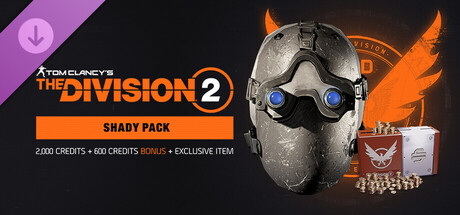
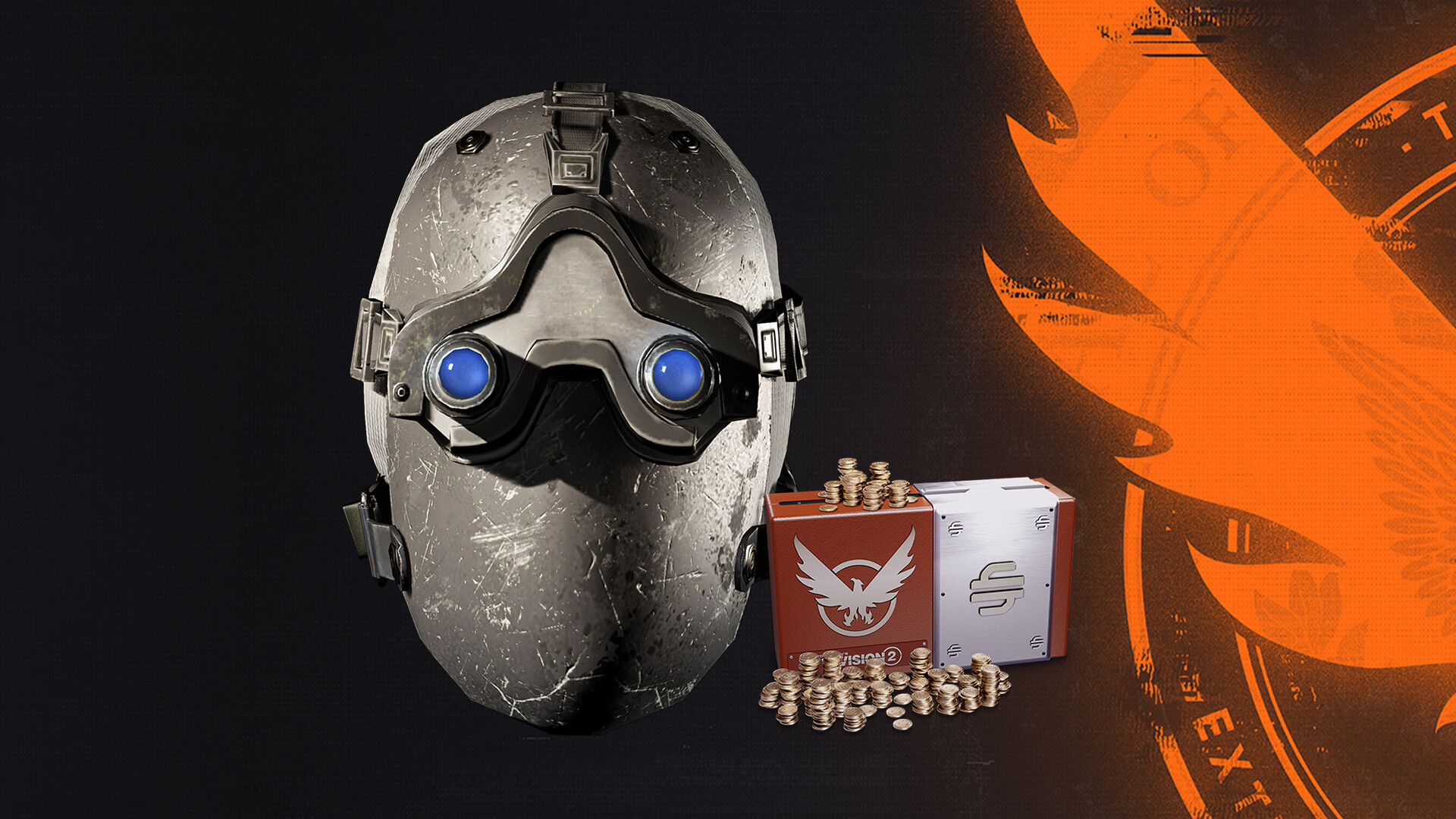
I bought the Shady Pack partly for the gimmick—an anniversary mask looks fun—and partly for the 2,600 Premium Credits (2,000 + 600 bonus). Ubisoft packaged it as a limited-time celebration, and in The Division 2 that kind of thing usually lands in your stash with little drama. Only this time, community threads read like a detective novel: some people got everything instantly, others waited hours or demanded refunds. That mismatch is the real story here: the content itself is fine, but the delivery is a gamble you should know about.
Instant Vanity and Firepower — What You Actually Get in-Game
The Shady Pack is not a gameplay expansion but a convenience/cosmetic bundle: you purchase it and receive 2,000 Premium Credits plus a 600-credit bonus and an exclusive Shady Mask. In practice that means you can immediately buy premium caches, season passes, or vanity items if the credits land. The mask appears as a vanity item—either delivered to your stash/mailbox or sometimes showing in a special delivery slot—ready to be equipped in the customization menu. It's not altering combat, but the credits can accelerate progression if you were planning to buy seasonal content or weapon skins. For players who enjoy collecting vanity pieces and topping up premium currency without grinding, the pack does exactly what you'd expect when it works.
The 'Shady' Delivery System — Rollout, Delays, and Workarounds
What distinguishes this pack is not the items but how they arrive. Community reports show a range of outcomes: instant delivery for some, a short relog fix for others, and in a few cases a multi-hour or even 48-hour delay followed by support tickets and refunds. The chain between Steam and Ubisoft Connect is the usual suspect—purchases sometimes need a Steam DLC check or a Ubisoft Connect relog to sync. Realism-mode players must also note a caveat: stash access is disabled in Realism, so vanity and stash-stored rewards might not appear until you switch characters. Several players solved the problem by relaunching the client, checking the in-game mailbox or stash, or following Ubisoft support steps (relink accounts, clear caches). It’s messy, but most reports end with items delivered rather than permanently lost.
A Little Showpiece — Mask Design, UI and Platform Notes
The Shady Mask itself is a neat visual: stylized enough to feel like an anniversary treat and subtle enough not to look ostentatious in PvP or roaming. There’s no new animation or effects tied to the mask—it's pure cosmetic flavor—but it photographs well in the game’s emote/photo mode. UI integration is straightforward: credits appear in your wallet once granted, and the mask shows under Vanity or Special Delivery. Performance-wise nothing changes—the pack is just data and server-side credits—so Windows players shouldn’t expect any frame-rate impact. One practical point: this release is Windows-focused (Steam/Uplay flow), so console or Mac/Linux users (per the input) aren’t relevant here. Overall, the presentation is fine; the problem is reliability, not polish.
The Shady Pack is worth it if you want the mask and the credits, but be prepared for a potential hiccup during delivery. Buy if you’re a collector or need premium currency, but don’t panic if nothing appears immediately—try relogging, checking your stash/mailbox, and give it some hours before contacting support. It's a small, pleasant bundle hampered by rollout polish rather than substance.
Pros
- Good value for players who want credits and a unique cosmetic
- Mask is tasteful and fits The Division 2’s aesthetic
- Works instantly for many—quick way to top up Premium Credits
- Limited-time anniversary flair for collectors
Cons
- Delivery can be delayed or require relogging/Ubisoft Connect fiddling
- Some users report refunds and support hassle if items don’t appear
- Not useful for Realism-mode players until they switch characters
Player Opinion
Players are split: many shout 'scam' immediately after purchase when items don’t show up, but a large share of reports resolve after relaunching Steam/Ubisoft Connect or waiting a few hours. Several users found the mask in Special Delivery or the stash, and a fair number said support took an hour to respond and fixed it. Others had worse experiences—long waits, requests to relink accounts or even refunds. Common advice from the community: check your DLC page, restart the client, and be patient for up to 48 hours. If you like seasonal cosmetic bundles and have bought DLC in other live-service shooters, this will feel familiar—useful but occasionally frustrating.